AI Tools for Developers 2026: What Engineers Actually Use
Discover the AI tools developers actually use in 2026 across coding workflows, internal search, docs automation, model routing, and cost tracking.
Introduction
The AI gold rush of 2023 and 2024 has finally settled into something far more durable. If you scroll through developer forums, read engineering postmortems, or sit in on architecture reviews today, the conversation has fundamentally changed. Engineers aren't asking, *Can AI do this?* anymore. They're asking, *How do I wire it into our stack so it fails gracefully, stays within budget, and actually ships faster?*
As we move through mid-2026, the landscape of AI tooling has matured from demo-driven novelties into production-grade workflows. The shiny benchmarks and viral chat interfaces have been replaced by quiet, systematic integration. Teams are no longer experimenting with isolated copilots; they're building AI-augmented pipelines that span coding, research, internal knowledge retrieval, and content operations. The focus has shifted decisively from capability to reliability, from raw output to traceable process, from hype to workflow.
This isn't a story about what AI *can* do. It's a story about what developers are *actually* using, why they're using it, and how they're making it work without breaking their systems, their budgets, or their sanity.
The Great AI Reality Check: From Hype to Workflow
If you were building software in 2024, you remember the friction. AI tools promised the moon but delivered context windows that capped out mid-function, hallucinations that slipped past quick reviews, and cost spikes that made finance teams nervous. The early wave was characterized by standalone apps, prompt-sharing communities, and a culture of "move fast and hope it works."
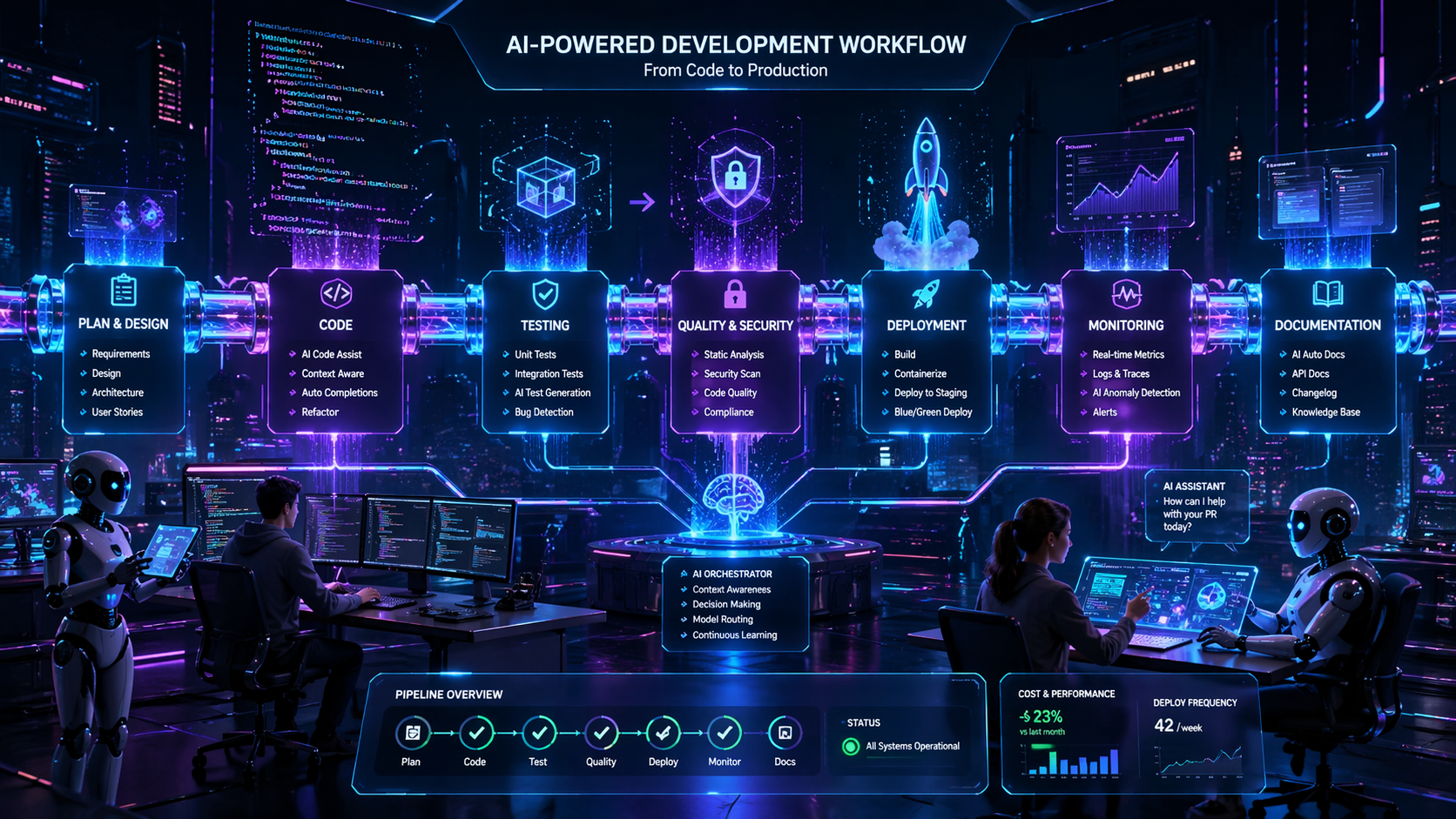
By 2026, that culture has been replaced by engineering discipline. Developers treat AI like any other critical dependency: it requires versioning, monitoring, fallback strategies, and clear service-level expectations. The biggest shift isn't in the models themselves, but in how they're orchestrated. Agentic workflows are now bounded and auditable. Model routing is standard practice, with cheap, fast models handling routine tasks and heavier, specialized models stepping in only when complexity demands it. Evaluation harnesses run in CI just like unit tests. Observability dashboards track token consumption, latency, and output quality across environments.
What developers actually want today isn't another chatbot. They want predictable outputs that integrate cleanly into existing toolchains, respect permission boundaries, and leave a clear audit trail. They want AI that knows when to ask for human input, when to defer to deterministic logic, and when to stay silent. The tools that have gained real traction are the ones that embrace these constraints rather than fight them.
Coding & Development: The New Standard Toolchain
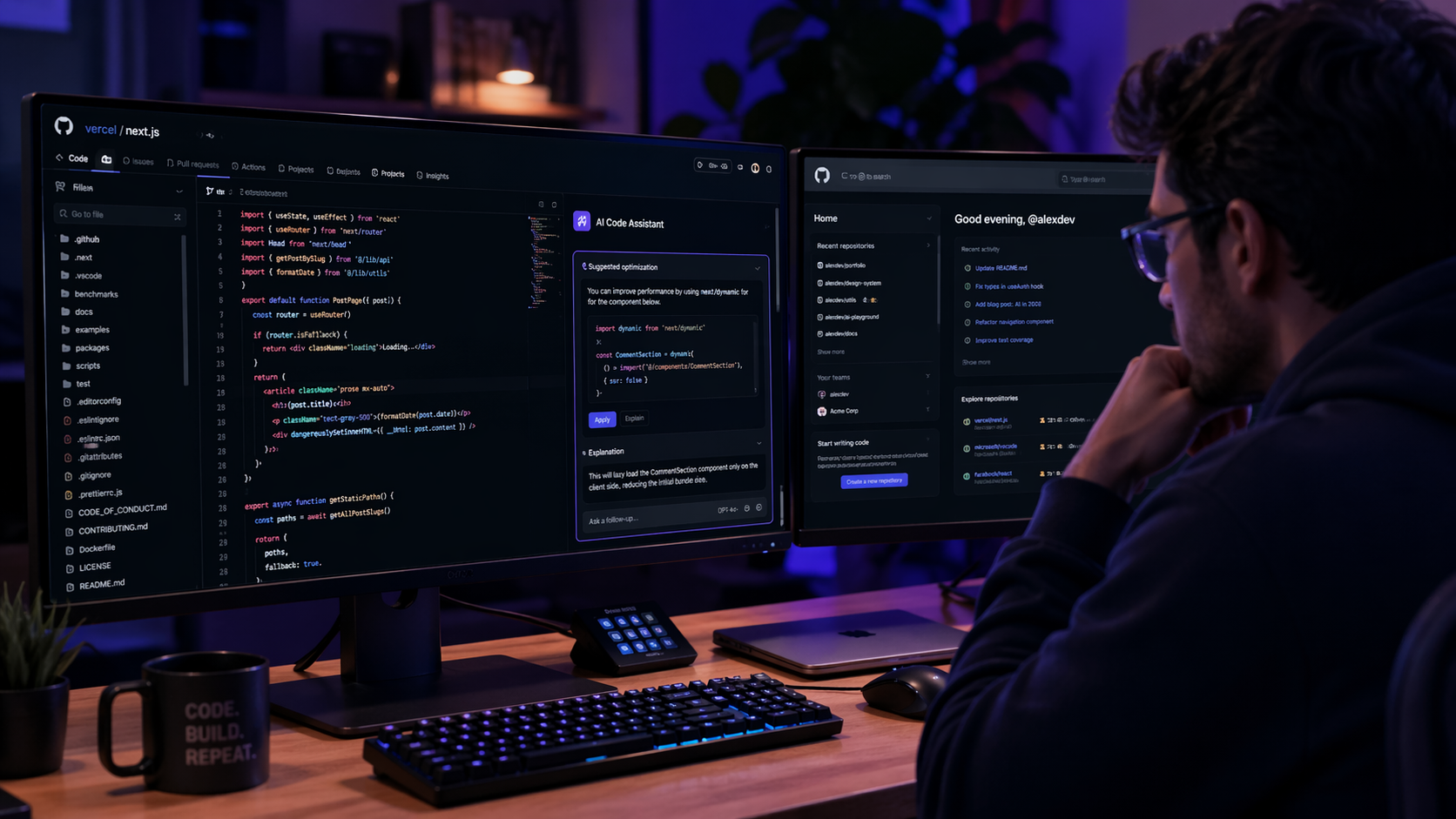
The IDE assistant has graduated from autocomplete to context-aware co-engineer. In 2026, the most widely adopted coding tools are deeply integrated into version control, CI/CD pipelines, and architecture documentation. They don't just suggest the next line; they understand dependency graphs, run linters, generate migration scripts, and draft pull requests with test coverage metrics attached.
The practical workflow looks like this: a developer outlines a feature in a ticket or design doc. An AI agent ingests the repo structure, relevant PRs, and existing test suites, then drafts an implementation branch. Before anything reaches human review, the agent runs static analysis, writes unit and integration tests, checks for security vulnerabilities, and verifies that architectural patterns are preserved. The resulting PR includes a diff summary, test results, cost or complexity estimates, and links to related tickets. The human reviewer's job shifts from writing boilerplate to validating intent, edge cases, and system-level impact.
Several factors drive this adoption:
- Context grounding: Modern tools index entire codebases, not just open files. They map service boundaries, track API contracts, and respect module ownership.
- Deterministic fallbacks: When confidence scores drop below thresholds, agents switch to rule-based scaffolding or request clarification instead of guessing.
- Cost-aware routing: Simple refactors run on lightweight open-weight models. Complex architectural changes route to higher-capacity models, but only after scope validation.
- Observability and audit trails: Every AI-generated commit is tagged, versioned, and traceable. Teams can replay prompts, review reasoning steps, and roll back if needed.
Challenges remain. Massive monorepos still strain context limits. AI can struggle with highly customized internal frameworks or legacy systems lacking documentation. Debugging AI-generated code requires the same rigor as human code, but with added scrutiny around hidden dependencies and subtle logic shifts. Teams that succeed treat AI as a junior engineer with exceptional speed but limited institutional knowledge: highly useful, but never left unsupervised on production paths.
Research & Knowledge Synthesis: AI as the Co-Investigator
Development doesn't happen in a vacuum. Engineers spend hours tracking deprecation timelines, comparing API specs, reading RFCs, auditing compliance requirements, and synthesizing internal tribal knowledge. In 2026, AI research tools have evolved from PDF summarizers into citation-backed knowledge synthesizers that integrate directly into developer workflows.
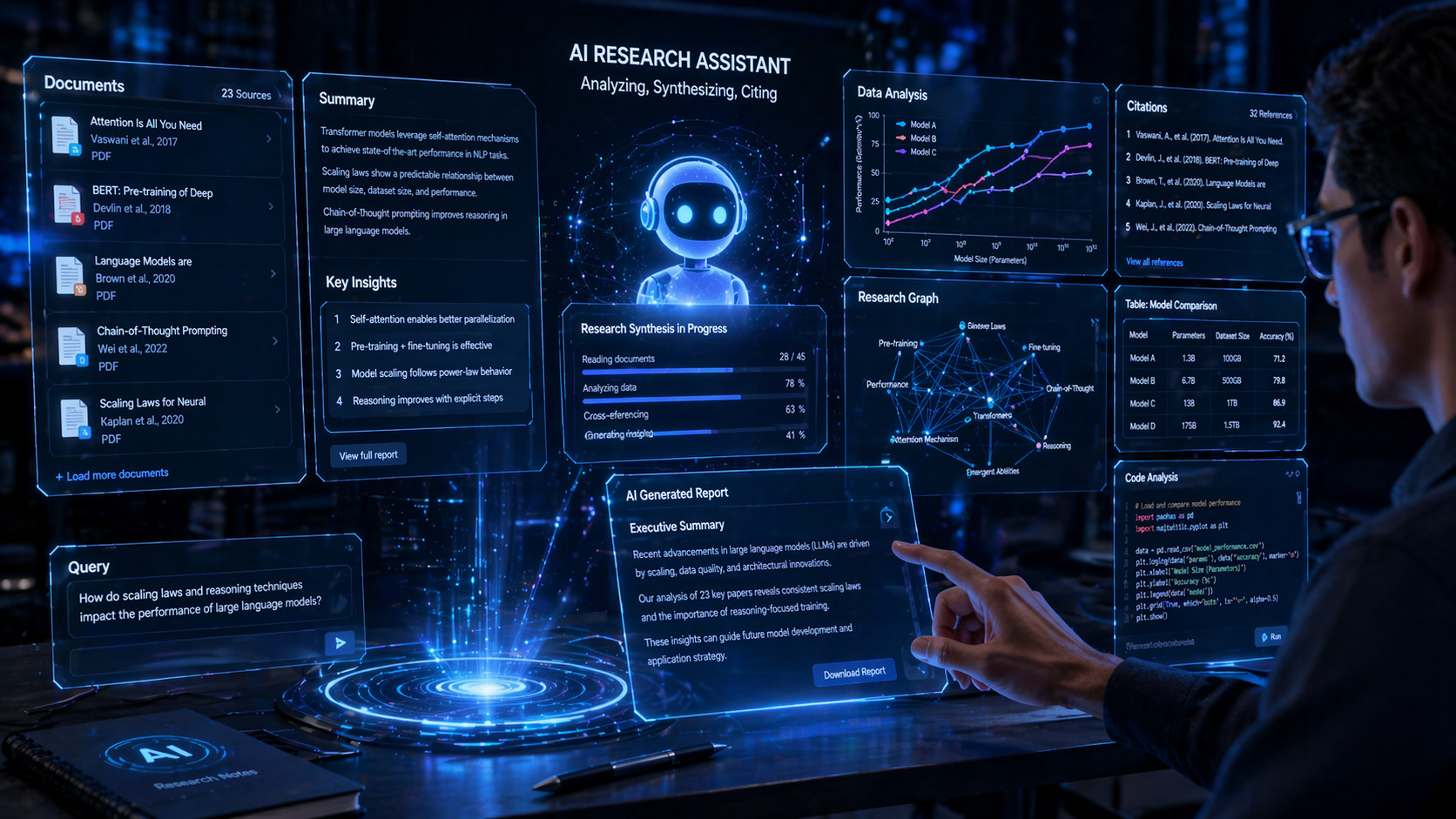
The modern research stack connects to GitHub, internal wikis, ticketing systems, cloud provider docs, and academic or industry repositories. Instead of asking, "What changed in this API?" developers ask, "Cross-reference v2 and v3 specs, identify breaking changes for our auth service, and draft a migration checklist with rollback steps." The system returns grounded answers with source links, confidence scores, and version-aware context. If the information is outdated or conflicting, it flags the discrepancy instead of smoothing it over.
Practical use cases include:
- Deprecation tracking: AI monitors vendor release notes, cross-references them with internal service dependencies, and auto-generates impact reports with recommended timelines.
- Incident pattern analysis: When a system fails, AI aggregates postmortems, log snippets, and Slack threads to surface historical precedents and suggest troubleshooting paths.
- Compliance and security mapping: Tools parse regulatory updates, map them to internal architectures, and generate audit-ready checklists that engineering and legal teams can co-review.
- Spec-to-implementation bridging: AI extracts interface contracts from design docs, validates them against existing code, and flags mismatches before implementation begins.
The real value isn't speed alone; it's synthesis. Developers are drowning in information but starved for insight. AI research tools that provide source grounding, version control, and collaborative annotation win adoption because they reduce cognitive overhead without sacrificing accuracy. The biggest pitfall remains domain-specific hallucination. Teams mitigate this by enforcing citation requirements, running outputs against internal knowledge graphs, and keeping human experts in the loop for high-stakes decisions.
Internal Search & Enterprise AI: Finding What Matters
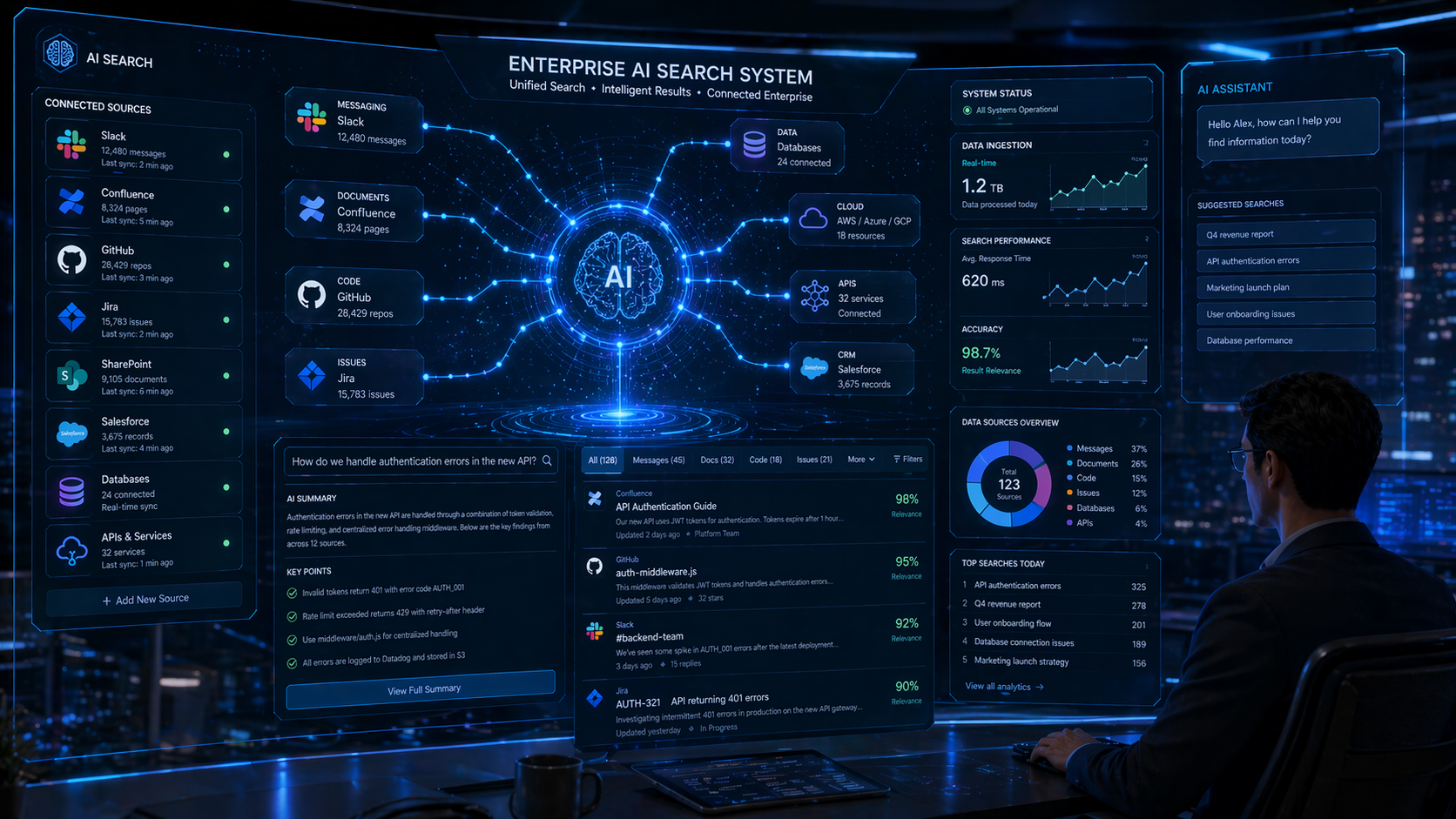
Ask any senior engineer where the real bottleneck lives, and they'll rarely say "writing code." They'll say "finding the right information." Enterprises run on fragmented data: Slack threads, Confluence pages, Jira tickets, internal APIs, drive folders, runbooks, and tribal knowledge. Keyword search failed to bridge these silos. Vector search helped, but lacked context and permissions awareness. In 2026, the solution is permission-aware, intent-driven internal search powered by AI orchestration.
Modern internal search tools don't just retrieve documents; they understand relationships, ownership, and recency. They respect role-based access control, index across communication and code platforms, and return actionable answers rather than link lists. A developer can query, "Why did payment retries fail last Tuesday?" and the system correlates deployment logs, config changes, incident tickets, and relevant Slack discussions to produce a timeline, root-cause hypothesis, and links to runbooks or rollback procedures.
Key capabilities driving adoption:
- Permission-safe indexing: Results are filtered in real time based on user access levels. No more accidental exposure of sensitive configs or HR documents.
- Conversational query refinement: AI asks clarifying questions when intent is ambiguous, then narrows results dynamically.
- Action triggering: Search results can spawn tickets, tag owners, attach to PRs, or trigger automated diagnostics.
- Staleness detection: The system flags outdated runbooks, deprecated APIs, and conflicting documentation, prompting updates before they cause incidents.
The cultural impact is significant. Junior engineers onboard faster. Incident response times drop. Cross-team knowledge silos weaken. But the challenges are real: data hygiene remains a prerequisite, stale indexes produce misleading answers, and over-reliance on AI summaries can lead to missed nuances. Successful teams treat internal AI search as a living system: they monitor query success rates, run periodic ground-truth audits, and maintain clear escalation paths when the AI's confidence drops.
Content Systems: AI in the CMS and ContentOps Pipeline
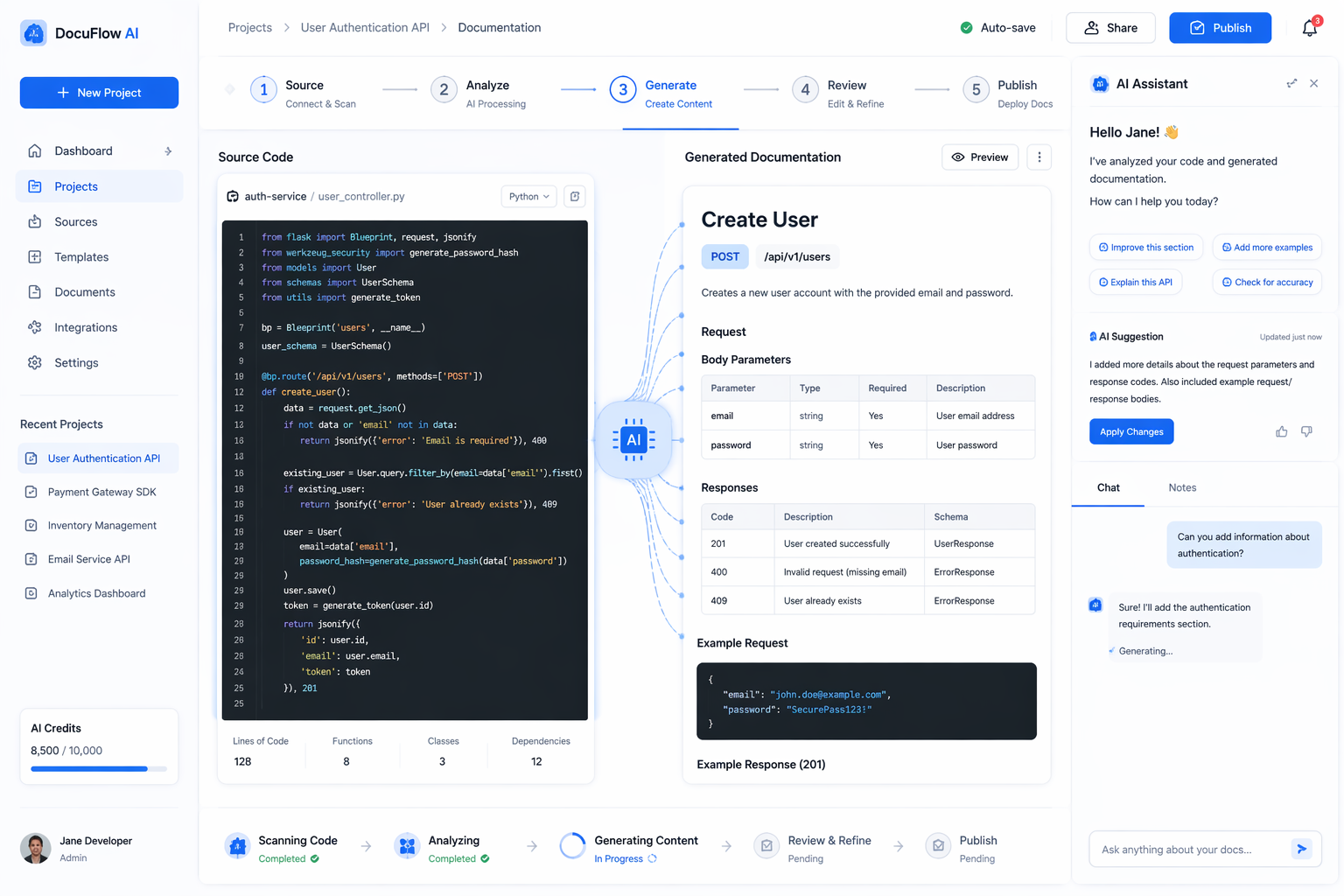
Developers don't just write code; they maintain documentation, developer portals, API references, onboarding guides, and internal wikis. Historically, docs drift was inevitable. Code moved faster than writing, and keeping content in sync required manual effort that teams rarely had bandwidth for. In 2026, AI has been woven into content operations pipelines, turning documentation from an afterthought into a continuously synchronized asset.
The modern docs-as-code workflow looks like this: when a pull request merges, AI scans the diff, extracts changed interfaces, updates code samples, verifies examples against test suites, and drafts changelog entries. It runs against style guides, checks accessibility compliance, suggests clarity improvements, and generates localized versions for global teams. Human editors review the output, approve or adjust, and publish. The result is documentation that stays current, consistent, and aligned with actual system behavior.
What makes these systems practical:
- Source-grounded generation: AI pulls directly from code, comments, and test files instead of guessing or relying on outdated prompts.
- Style and tone enforcement: Configurable rules ensure consistency across teams, languages, and product lines.
- Dynamic personalization: Content adapts based on user role, permission level, and experience tier without manual duplication.
- Fact-checking pipelines: Outputs are validated against source repos, CI results, and internal knowledge graphs before publication.
Teams report significant reductions in docs-related support tickets, faster onboarding, and fewer production errors caused by outdated references. The pitfalls mirror those in other AI workflows: over-automation can produce generic, tone-deaf content; factual accuracy requires strict grounding; and human editorial oversight remains non-negotiable. The most successful implementations treat AI as a drafting engine, not a final author. Humans set the strategy, AI handles the scale, and quality gates ensure trust.
What Developers Actually Care About Now
If you strip away the marketing, developer adoption in 2026 comes down to a handful of practical concerns. The community has developed a shared set of evaluation criteria that rarely mention benchmark scores or parameter counts:
- ROI and velocity: Does it reduce time-to-PR, cut incident resolution time, or lower support load? If the answer is vague, adoption stalls.
- Predictability and fallbacks: Can it handle uncertainty gracefully? Does it know when to defer, ask for input, or switch to deterministic logic?
- Cost transparency: Token consumption, model routing, and caching strategies are tracked like any other infrastructure metric. Teams optimize for cost-per-task, not cost-per-request.
- Observability and auditability: Can you trace why an AI made a decision? Can you roll back, compare versions, and reproduce outputs? If not, it doesn't touch production.
- Security and compliance: Data handling, permission boundaries, and output scanning are baked in. AI tools that can't integrate with existing IAM and audit systems are non-starters.
Adoption patterns reflect these priorities. Teams roll out AI behind feature flags, start with low-risk workflows, and expand only after evaluation pipelines prove consistent quality. Prompt versions are stored alongside code. Model choices are A/B tested. Human-in-the-loop gates are standard for anything touching customer data, financial logic, or infrastructure changes. AI literacy is no longer a niche skill; it's baseline engineering competency. Teams run "AI readiness" audits, document failure modes, and treat AI dependencies with the same rigor as databases or message queues.
Common pitfalls persist. Vendor lock-in remains a real risk when teams build tightly coupled integrations without abstraction layers. Over-automation leads to brittle systems that fail silently when models shift. Ignoring data quality guarantees poor outputs regardless of model capability. Skipping evaluation pipelines turns AI into a black box, eroding trust. The teams that thrive are the ones that treat AI as infrastructure: modular, observable, cost-aware, and always paired with human judgment.
Looking Ahead: The Rest of 2026 and Beyond
As we move through the second half of 2026, several trends are gaining momentum. On-device and edge AI is becoming viable for development tools, enabling offline coding assistance, local code indexing, and privacy-preserving research workflows. Standardized evaluation frameworks are emerging, giving teams shared metrics for output quality, latency, cost, and safety. Open-weight models continue closing the gap on proprietary systems, giving engineers more control over deployment, fine-tuning, and data sovereignty. AI governance is shifting from policy documents to code: automated compliance checks, permission-aware routing, and audit-ready logging are becoming default requirements.
The next frontier isn't bigger models; it's smarter orchestration. Cross-tool workflows that span coding, testing, documentation, and deployment will become more cohesive. Predictive DevOps will use AI to anticipate bottlenecks, suggest capacity changes, and auto-generate rollback plans. Self-healing pipelines will emerge, but always with human oversight baked into critical paths. The winning teams won't be the ones chasing the latest release; they'll be the ones building resilient, observable, cost-effective AI workflows that scale without sacrificing trust.
Conclusion
AI in 2026 is no longer a novelty. It's infrastructure. The tools that developers actually use are the ones that respect constraints, integrate cleanly, and deliver measurable value without introducing hidden risk. The shift from hype to workflow has been hard-won, driven by engineers who demanded reliability over flash, traceability over mystery, and practical integration over standalone demos.
If you're evaluating AI tooling today, start with your pain points, not the feature list. Map your workflows, define success metrics, build evaluation harnesses, and design for failure as much as for success. Treat AI as a team member with exceptional speed but limited context. Keep humans in the loop for intent, ethics, and edge cases. Monitor cost, track quality, and iterate relentlessly.
The models will keep evolving. The interfaces will change. But the mindset that defines real adoption in 2026 is here to stay: build workflows, not miracles. Measure outcomes, not benchmarks. And never forget that the best AI tool is the one your team trusts, understands, and can turn off when it needs to.
FAQ
What are the best AI tools for developers in 2026?
The best tools are not necessarily the flashiest ones. The strongest AI tools in 2026 are the ones that fit repeated engineering workflows like coding, knowledge search, documentation automation, evaluation, and cost-aware orchestration.
How do developers actually use AI in 2026?
Developers use AI for code drafting, pull request preparation, test generation, internal search, research synthesis, incident analysis, documentation updates, and workflow automation with approval checkpoints.
Why are practical AI workflows more valuable than demo tools?
Because teams care about reliability, traceability, budget control, and integration into existing systems. Demo tools can look impressive, but production workflows win when they reduce real friction in day-to-day engineering work.
Related posts
View all ToolsPercentage Kaise Nikale? Percentage Calculator Ka Sahi Upyog Aur Formulas
Percentage kaise nikale, percentage calculator ka sahi use kaise kare, marks percentage, discount, profit-loss aur percentage change ke formulas simple Hindi me samjhein.
WebThe Road to Learn React by Robin Wieruch: Why This Is the Best Book to Master React.js
A beginner-friendly review of The Road to Learn React by Robin Wieruch, covering its plain React first philosophy, project-based structure, updates, learning path, reader fit, and value.
ProgrammingApple MacBook Pro M5 Review (2026): Complete In-Depth Review, Performance, Battery, AI Features & Real-World Experience
Detailed Apple MacBook Pro M5 review covering design, performance, gaming, battery life, AI features, display quality, software experience, creator workflow, and comparison with competitors.
Next article
GPT-5.5 AI Model Explained (Features, Use Cases & Comparison)
Explore the latest GPT-5.5 AI model, OpenAI new AI model updates, and GPT-5.5 features explained with coding, use cases, and comparison insights.